
Call us now :08045803641
 Send Inquiry
 Send Inquiry
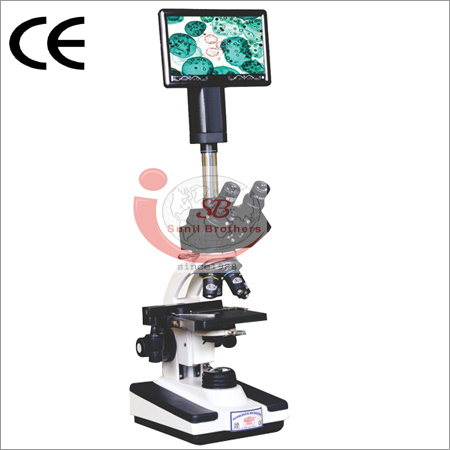
Digital Microscope
MOQ : 1 Unit
Digital Microscope Specification
- Focus System
- Coaxial coarse & fine focus system
- View Head
- 360 rotatable binocular
- Features
- Easy integration with PC, real-time imaging, built-in camera, software for measurement, image & video capture
- Spare Parts
- Power Cable, USB Cable, Dust Cover
- Theory
- Digital Microscope offers high-resolution observation and digital imaging for a variety of applications including biology, industrial inspection, and education.
- Drawtube
- Binocular
- Sensor
- CMOS Sensor
- Resolution
- 1600 x 1200 Pixels
- Interface
- USB 2.0
- Frame Rate
- 30 fps
- Focal Distance
- 10 mm 40 mm
- Magnification
- 40x 1000x (Digital)
- Dimensions
- 340 mm x 240 mm x 160 mm
- Focus Range
- 0 15 mm
- Eyepieces
- WF10x/20mm
- Eyepiece Tube
- Inclined 30
- Illumination
- LED, Adjustable Brightness
- Coarse Adjustment Range
- 20 mm
- Fine Adjustment Range
- 2 mm
- Working Stage
- Double Layer Mechanical Stage, 140 x 135 mm
- Still Image Capture Resolution
- 1600 x 1200 pixels
- Video Capture Resolution
- 1280 x 720 pixels
- Image Format
- JPEG, BMP
- Interpupillary Distance
- 48 - 75 mm Adjustable
- Objective Achromatic
- 4x, 10x, 40x, 100x
- Condenser
- NA 1.25 Abbe Condenser
- Light Source
- LED, White Light
- Cooling System
- Passive Air Cooling
- Software Compatibility
- Windows XP, 7, 8, 10, Mac OS
- Package Includes
- Microscope, Power Adapter, USB Cable, User Manual, Software CD, Spare LED Bulb
- Color
- White & Black
- Operating Voltage
- AC 100-240V, 50/60Hz
- Weight
- 5 kg
Digital Microscope About
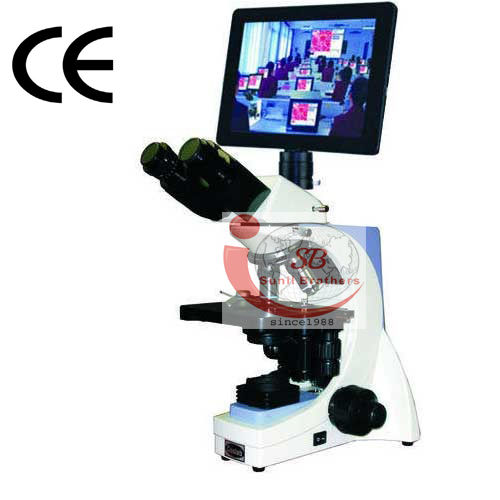
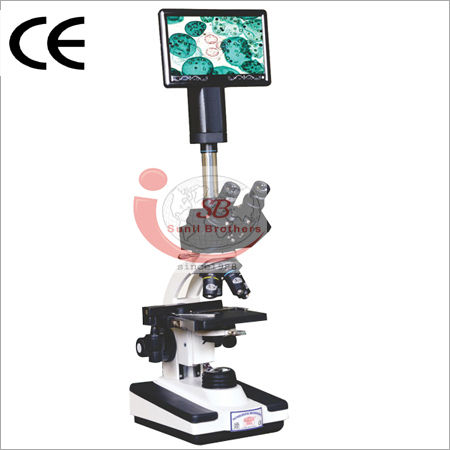
DIGITAL MICROSCOPE : SB DI SERIES
A Robust and stable body.
Objective:All objectives are antifungal coated long barrel at the highest numerical aperture such as(Plan) PL4X NA 0.10, PL 10X NA 0.25, PL40X NA 0.65(S.L.) and PL100X NA 1.25 oil immersion(S.L.) for brilliantly sharp and flatter images.
Eye Pieces:High eye point antifungal and antireglected extra wide field 10x/20mm paired eyepiece.
Trinocular Head:All prism have anti-reflected and antifungal coatings. Having 30 inclination, 360 rotatable.
Nose piece:A reversed type nosepiece running on ball bearing balls ensures a smooth motion.
Mechanical Stage:Co-axial coarse & fine focusing mechanism based on four steps reduction gears system which runs on ball-bearing guideways, is provided with special tension adjustment rings. Stopper system is provided so that the slides may not get damage.
Condenser:Abbes condenser NA 1.25, rack & Pinion adjustment.
Light Source:6V 20W halogen lamp or 3W LED Light with adjustable brightness.
Specifications:
Digital Microscopes:
- Camera usb
- System Configuration LED Size: 10.1 LED Screen with fully touch panel
High-Resolution Imaging for Clear Results
Equipped with a CMOS sensor and built-in camera, the digital microscope captures sharp images and videos at up to 1600 x 1200 pixels. The real-time imaging and adjustable magnification from 40x to 1000x make it ideal for both routine and advanced observation in laboratories and classrooms.
Seamless Software Integration
Designed for easy integration, this microscope comes with software compatible with Windows XP, 7, 8, 10, and Mac OS. The intuitive application enables users to measure, capture images and videos, and export files in JPEG or BMP formats, ensuring streamlined workflow and documentation.
User-Friendly Operation and Maintenance
Featuring a 360 rotatable binocular head, inclined eyepiece tube, and double-layer mechanical stage, the microscope ensures ergonomic usage. The included accessoriespower adapter, USB cable, software CD, spare LED bulb, and user manualmake setup, operation, and maintenance straightforward and efficient.
FAQs of Digital Microscope:
Q: How do I install the software for this digital microscope on my computer?
A: To install the software, insert the included software CD into your computer or download the provided installer. Follow the on-screen prompts to complete setup. The software is compatible with Windows XP, 7, 8, 10, and Mac OS, ensuring compatibility with most systems.Q: What applications or environments is this digital microscope suitable for?
A: This digital microscope is ideal for biology labs, educational classrooms, industrial inspection, and other scientific research environments, offering both high-resolution viewing and digital imaging capabilities.Q: What is the process for capturing and saving images or videos using this microscope?
A: After installing the software and connecting the microscope to your PC via USB 2.0, use the software interface to capture still images (up to 1600 x 1200 pixels) or record videos (up to 1280 x 720 pixels). Files can be saved in JPEG or BMP formats for easy sharing and analysis.Q: Where can I adjust the brightness or focus during observation?
A: Brightness is controlled by the adjustable LED illumination system. Both coaxial coarse and fine focus controls allow precise focusing, with coarse adjustment of 20 mm and fine adjustment of 2 mm, ensuring clear and detailed images.Q: What benefits does the 360 rotatable binocular view head provide?
A: The 360 rotatable binocular head offers flexible positioning, allowing users to adjust viewing angles for comfort during extended sessions, especially when examining samples collaboratively or from different perspectives.Q: How do I maintain or replace parts such as the LED bulb?
A: Routine maintenance includes dusting the microscope and covering it with the provided dust cover when not in use. To replace the LED bulb, use the spare included in the package, following the instructions in the user manual for a straightforward replacement.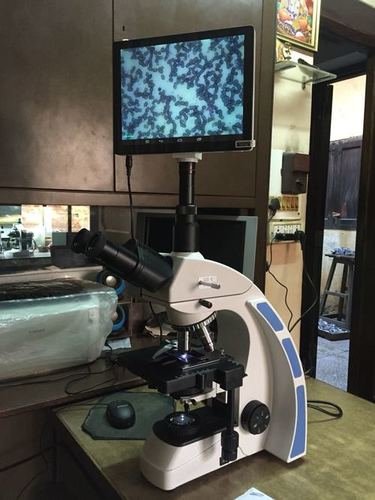
Tell us about your requirement

Price:
Quantity
Select Unit
- 50
- 100
- 200
- 250
- 500
- 1000+
Additional detail
Mobile number
Email

More Products in Lab Microscope Category
Advance Binocular Pathological Microscope
Minimum Order Quantity : 25 Pieces
Coarse Adjustment Range : 30 mm
Dimensions : Approx. 340 x 240 x 150 mm
Theory : Other, Advance Binocular Pathological Microscope ideal for pathological studies and clinical labs.
Focal Distance : Adjustable with fine and coarse focusing knobs
Digital High Definition Microscope
Price 135000.0 INR / Unit
Minimum Order Quantity : 1 Unit
Coarse Adjustment Range : Manual, 0~40mm
Dimensions : Approx. 150mm x 110mm x 130mm Millimeter (mm)
Theory : Other, Digital imaging with integrated camera for microscopic observation
Focal Distance : 15~40mm Millimeter (mm)
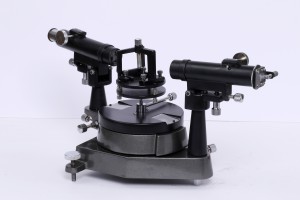
Laboratory Spectrometer
Minimum Order Quantity : 1 Piece
Coarse Adjustment Range : Full manual range (table rotation and linear displacement).
Dimensions : Approx. 340 mm (L) x 200 mm (W) x 260 mm (H).
Theory : Other, Based on the principle of dispersion of light; measures wavelengths and spectra in laboratory experiments.
Focal Distance : 170 mm (standard objective).
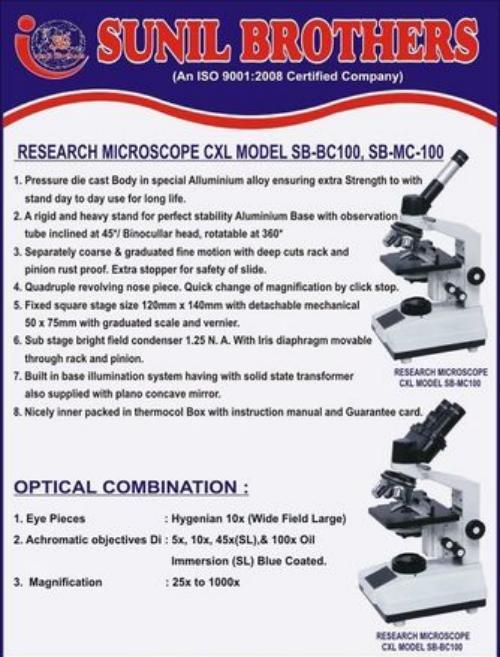
Binocular Microscope
Coarse Adjustment Range : Approximately 20mm
Dimensions : Approx. 370mm x 135mm x 180mm (H x W x D)
Theory : Other, Optical microscope for biological and laboratory analysis
Focal Distance : Adjustable with coarse and fine focus

 Send Inquiry
Our Products
- Clean Room Equipment
- Biology Equipment
- Chemistry Lab Equipment
- Automatic Tissue Processor
- Laboratory Travelling Microscope
- Lab Microscope
- Blood Bank Equipment
- Centrifuge Machine
- General Laboratory Equipment
- Hospital Furniture
- Histopathology Lab equipment
- Pharmaceutical Lab Equipment
- Oven and Incubator
- Stainless Steel Kick Bucket
- Laboratory Equipment
- Mortuary Chamber
- Laboratory Autoclave
- Hospital Bed
- Bed Side Locker
- Spectrophotometer
- Scrub Sink

Plot No.- #4, Shanti Nagar, Kardhan, Ambala Cantt - 133001, Haryana, India

Mr Sunil Dhiman
(Proprietor)
Mobile :08045803641
 Send Inquiry
 Send SMS
Developed and Managed by Infocom Network Private Limited.
